 AeroFluxStudio
 DiskLens for Windows
See where your disk space went.
Clean only what you approve.
DiskLens measures every folder on your drive, explains the big ones in plain words, and tells you what's safe to clean, what to look at first, and what to leave alone.
Windows 10 and 11 (64-bit). A Mac version is in preparation.
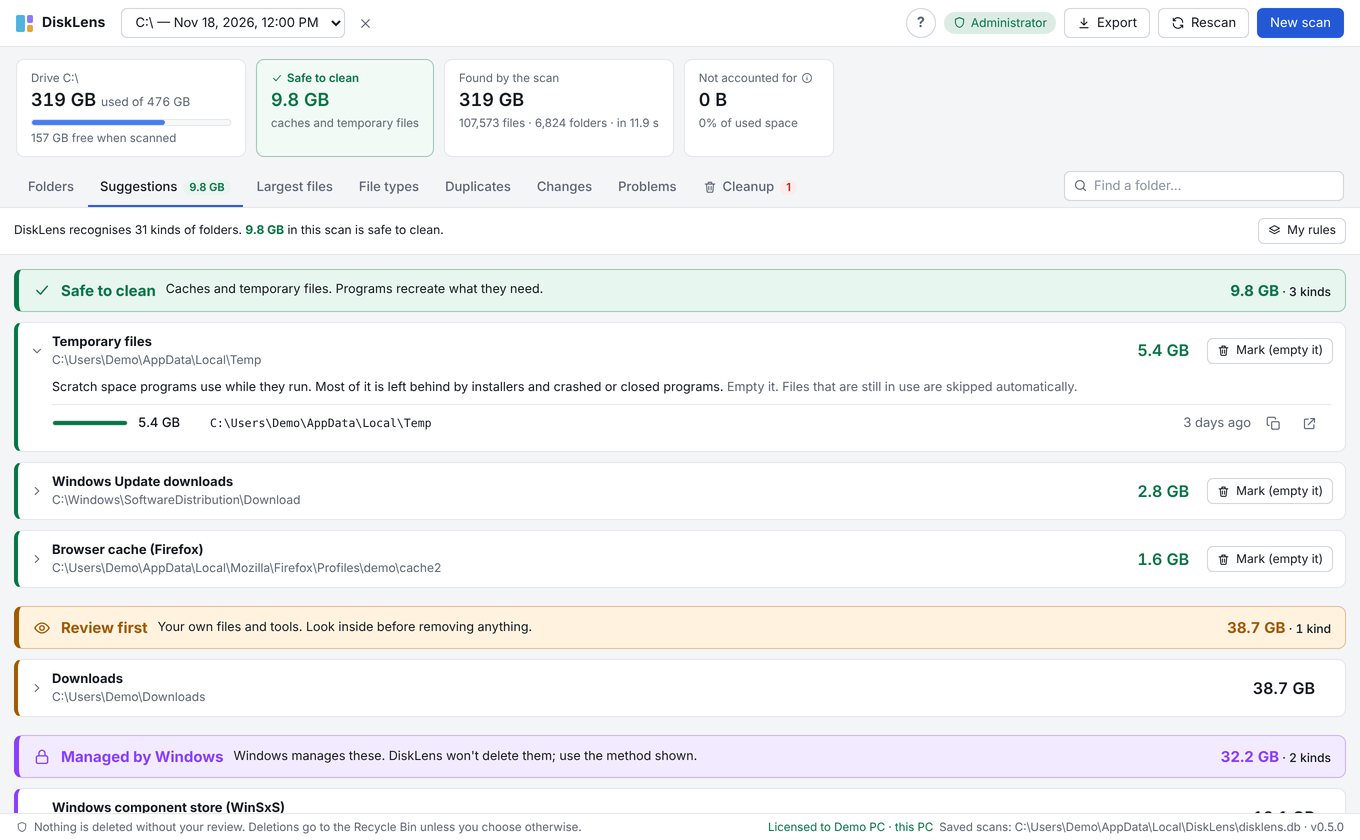
Folder by folder, in plain words
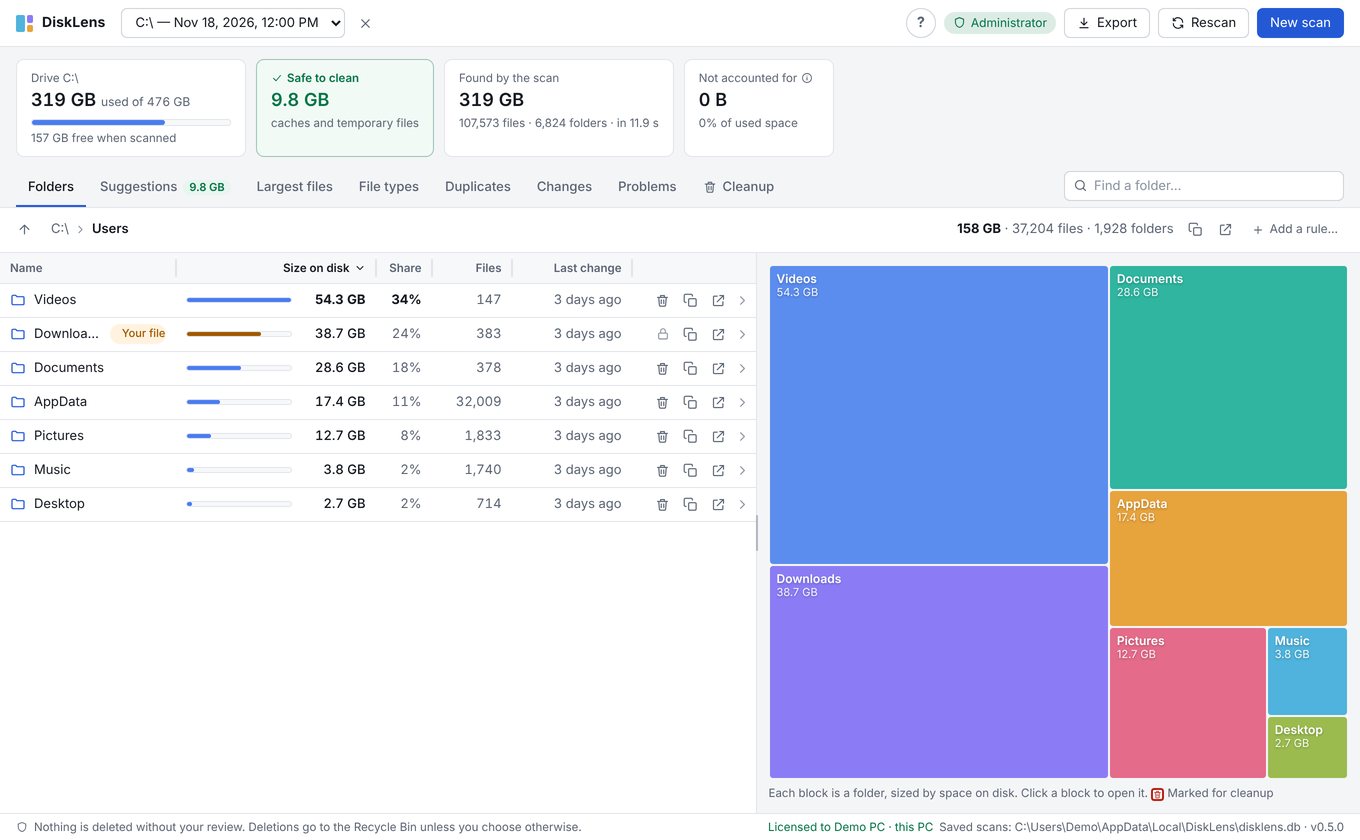
Every folder's real size
A fast scan of a whole drive, with a treemap and a folder list you can drill into. Sizes are measured on disk, including hidden and system folders.
Knows what's what
DiskLens recognises caches, temporary files, update leftovers, developer folders and more, and explains each one, with what's safe to clean.
You stay in charge
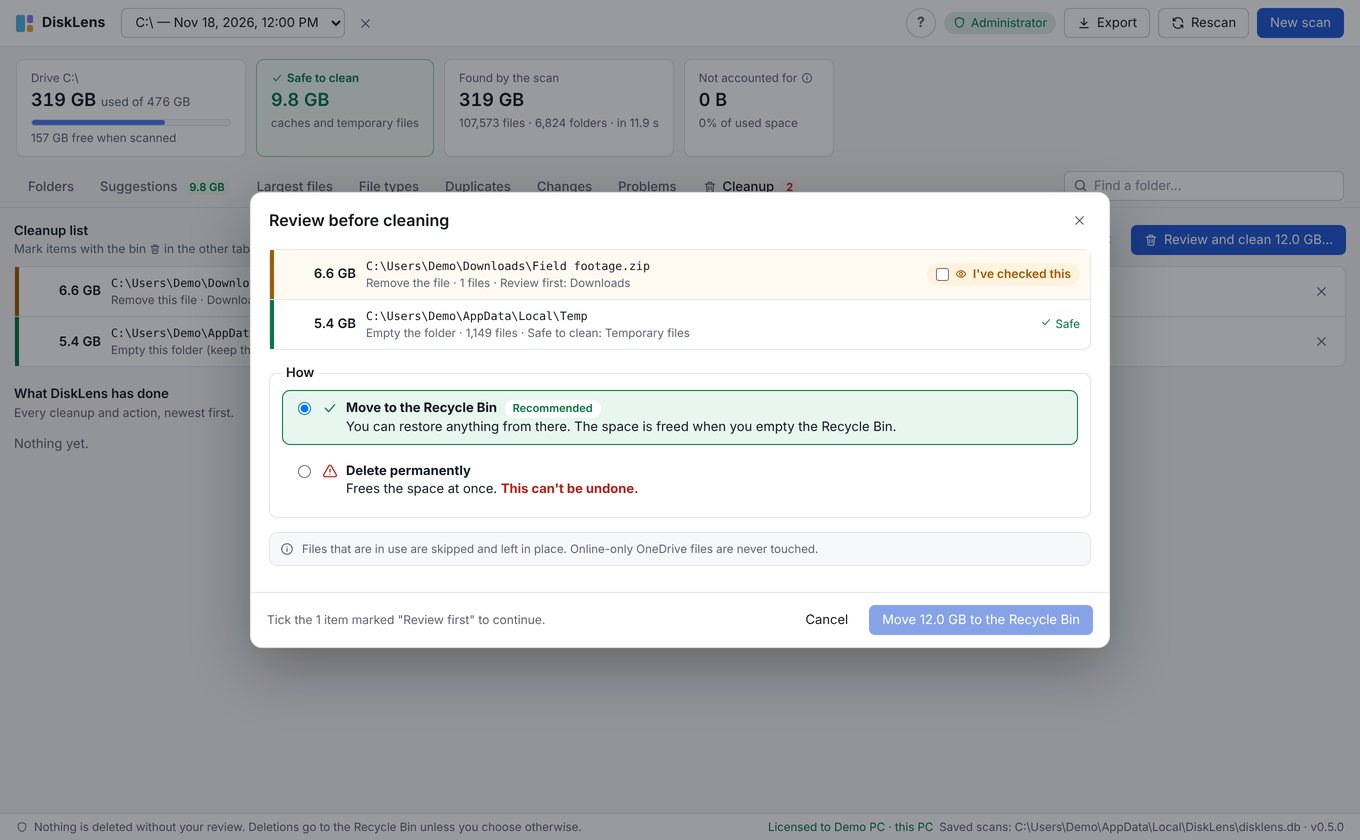
Nothing is deleted on its own. You mark items, review them once more, and DiskLens moves them to the Recycle Bin unless you choose otherwise.
Duplicates and big files
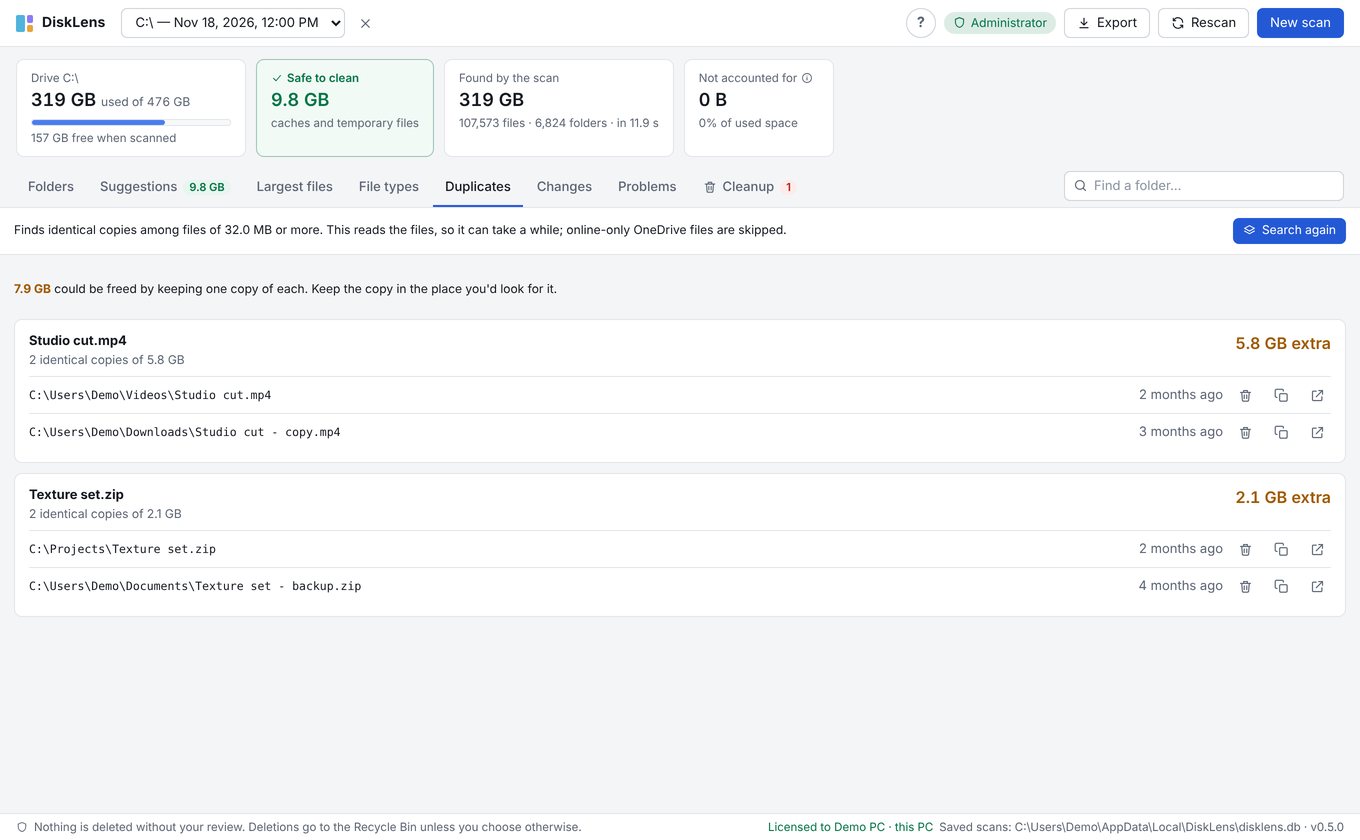
Find the largest files, files nobody has opened in years, and identical copies of the same file in different places.
What grew since last time
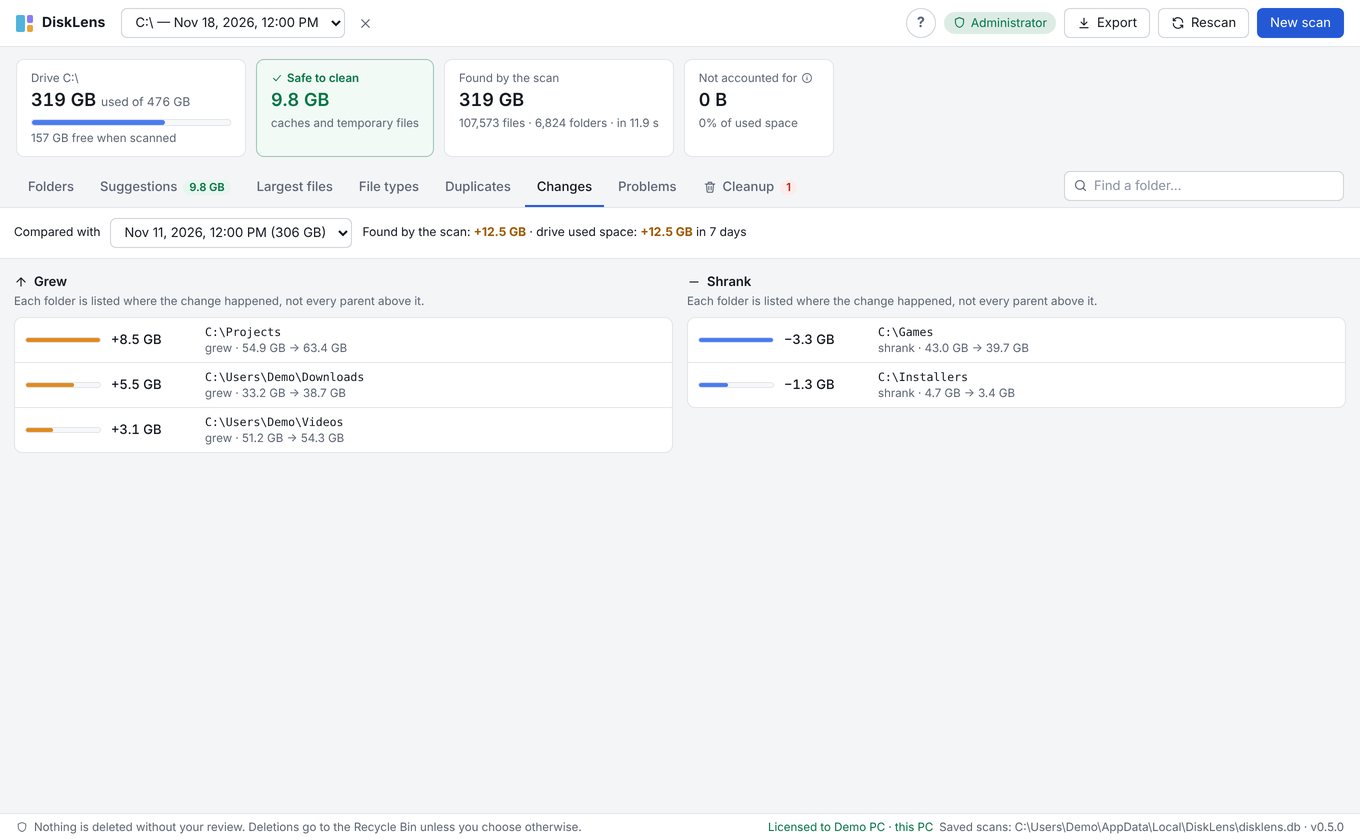
DiskLens keeps your last scans of each drive and shows which folders grew or shrank in between.
Private by design
Scans stay on your PC. DiskLens has no ads, no analytics and no account, and it never sends anything over the internet.
Getting your license key
Each license key is made for one computer, so it's created after you install DiskLens.
- Install DiskLens and open it. The activation screen shows your computer's device code.
- Click Get your license key. Our request form opens in your browser with the code already filled in.
- Enter your Etsy email address or Etsy order number, accept the Terms of Use and Privacy Policy, and click Send request.
- We send your license key by email or in your Etsy order messages, usually within 2 business days. Paste it into DiskLens and click Activate. That's it: DiskLens works offline from then on.
Good to know
Does DiskLens send my files or scan results anywhere?
No. Scans, file names and your cleanup history stay on your computer. DiskLens itself never contacts us; the only information we receive is what you enter on the license request form, listed in the privacy policy.
Can DiskLens delete something important?
DiskLens never deletes on its own, refuses folders that Windows manages, and moves items to the Recycle Bin by default, so you can restore them. Permanent deletion is a separate choice you have to confirm. Keep backups of important files, as with any cleanup.
Does it work offline?
Yes. DiskLens works completely offline. It checks its license key on your computer and never contacts us.
I reinstalled Windows or DiskLens. Do I need a new license?
Usually not: your key keeps working on the same computer, so just paste it in again. Moving to a different computer needs a new key; send a new request from that computer with your order number, or write to us.
Will Windows warn me when I install it?
The installer may not yet carry a code-signing certificate, so Windows SmartScreen can show "Windows protected your PC". Click More info and Run anyway if you downloaded DiskLens from us or our Etsy shop.